Tutorial on how to install mods
1. Go to our mods page and download all the mods on the google drive.
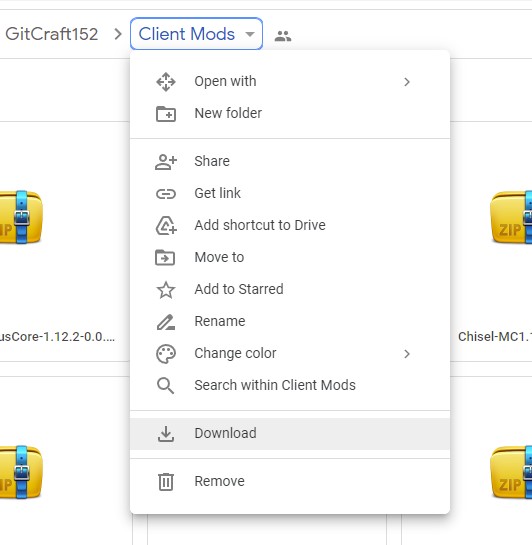
^ The Download Button Just right above the Remove button.
2.This will download the Zipped file of all the mods required, you will need to extract this to a folder.
3. Go to your mod files and copy all the downloaded mods.
4. Type "%Appdata%/.minecraft/" on the navigation bar, (NOT THE SEARCH BAR!)

5. If you don't have a folder called "mods", go ahead and create a new folder called "mods" then paste the mods inside that folder
Tutorial on how to install forge
1. Go to
https://files.minecraftforge.net/net/minecraftforge/forge/
2. click on the version 1.12.2 and click install latest version
3.Then click skip on the top right corner (when you are on the advertisement screen.)
4. Open your vanilla launcher then choose forge 1.12.2 as your launcher
